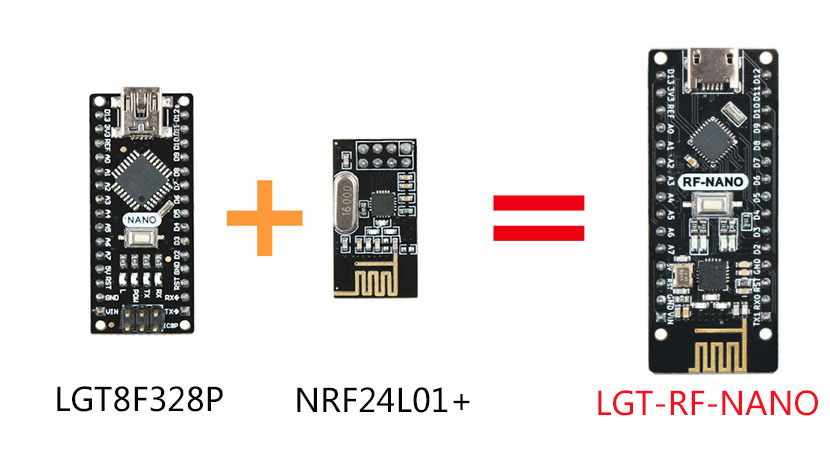
LGT-RF-Nano es un producto de comunicación 2.4G basado en la combinación del chip doméstico LGT8F328P y el chip NRF24L01+
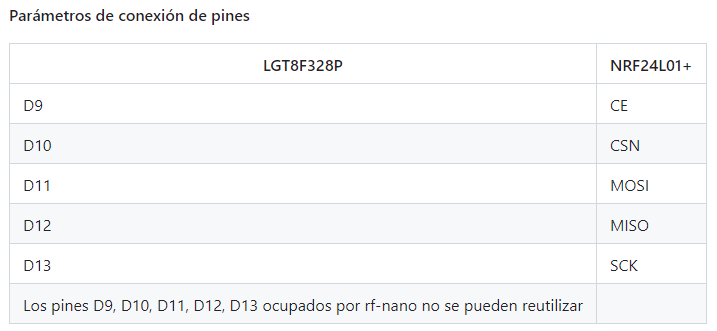
Lo primero a realizar es instalar la placa en el IDE de arduino, se sigui los pasos que indican en la pagina oficial de Gihub
https://github.com/nulllaborg/arduino_nulllab
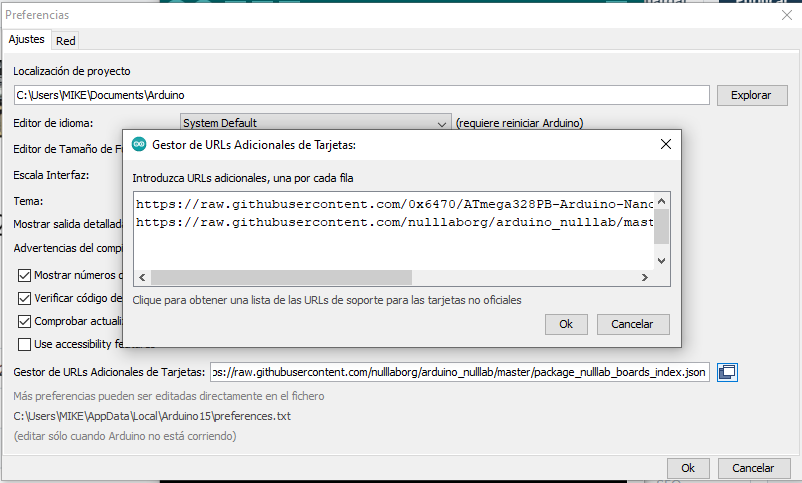
lo que nos indican para agregar la tarjeta LGT-RF-NANO es copiar la siguiente url en el IDE arduino, en Archivo/Preferencias--> Gestor de URLs adicionales de Tarjetas.
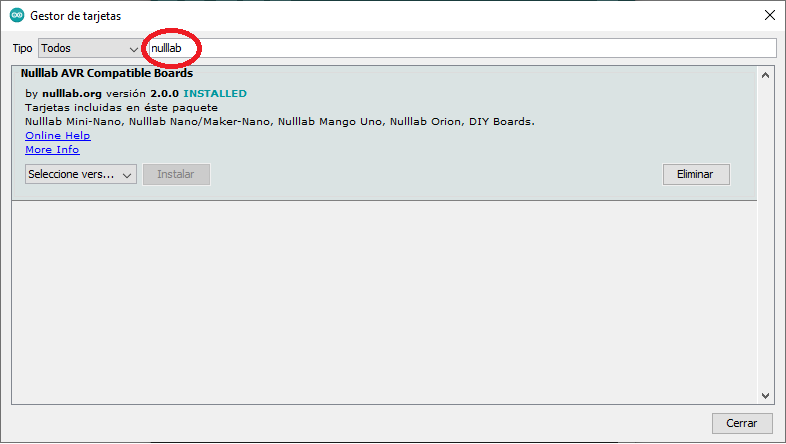
luego vamos al menu Herramientas/Placa/Gestor de Tarjetas y en el buscador escribimos nulllab y porcedemos a instalar.
luego seleccionamos nuestra tarjetas
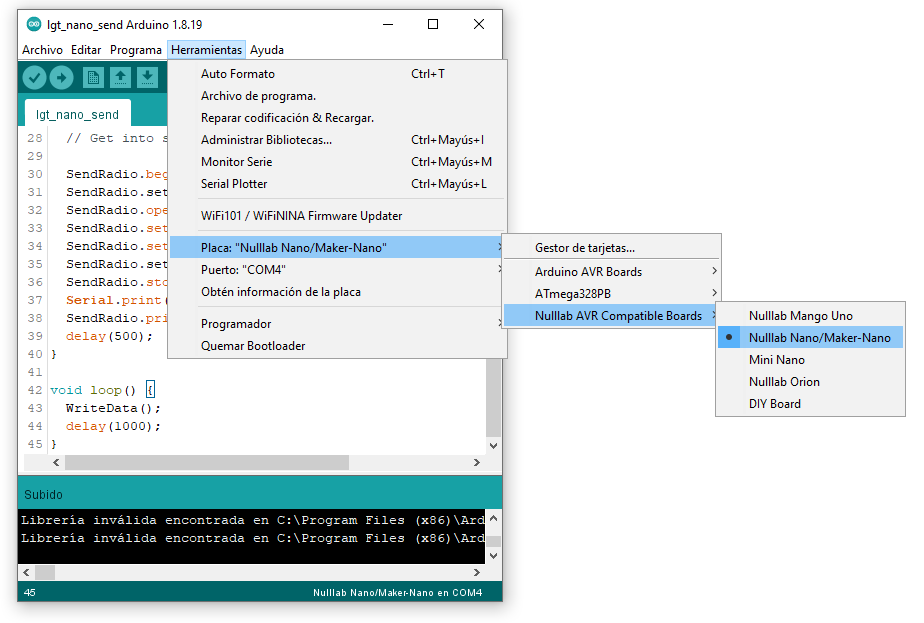
ahora que ya tnemos instaladas las tajetas procedemos a realizar pruebas de comunicacion
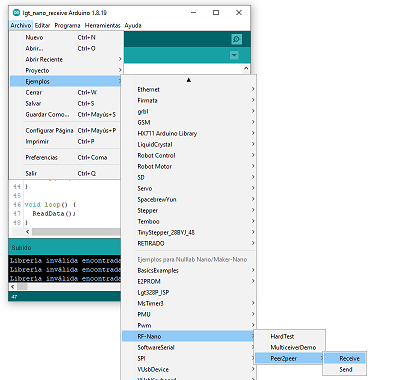
codigo para envio de datos:
#include <SPI.h>
#include <Wire.h>
#include "RF24.h"
#include "printf.h"
RF24 SendRadio(9, 10);

int value;

void WriteData()
{
  value = random(255);
  SendRadio.openWritingPipe(0xF0F0F0F066);//Sends data on this 40-bit address
  SendRadio.write(&value, sizeof(value));
  Serial.print("WriteData");
  Serial.print(".........");
  Serial.println(value);
}

void setup() {
  // put your setup code here, to run once:
  Serial.begin(115200);
  printf_begin();
  Serial.println(F("LGT RF-NANO v2.0 Send Test"));

  //
  // Setup and configure rf radio
  //
  // Get into standby mode

  SendRadio.begin();
  SendRadio.setAddressWidth(5);
  SendRadio.openWritingPipe(0xF0F0F0F066LL);
  SendRadio.setChannel(115);           //115 band above WIFI signals
  SendRadio.setPALevel(RF24_PA_MAX);   //MIN power low rage
  SendRadio.setDataRate(RF24_1MBPS) ;  //Minimum speed
  SendRadio.stopListening(); //Stop Receiving and start transminitng
  Serial.print("Send Setup Initialized");
  SendRadio.printDetails();
  delay(500);
}

void loop() {
  WriteData();
  delay(1000);
}
codigo de recepcion de datos:
#include <SPI.h>
#include<Wire.h>
#include "RF24.h"
#include "printf.h"
RF24 ReceiveRadio (9, 10);

byte value[32];

void ReadData()
{
  uint8_t bytes;
  if (ReceiveRadio.available())
  {
    while (ReceiveRadio.available())
    {
      bytes = ReceiveRadio.getPayloadSize();
      ReceiveRadio.read(value, bytes);
    }
    Serial.print("ReadData");
    Serial.print(".........");
    Serial.println(value[0]);
  }
}

void setup() {
  // put your setup code here, to run once:
  Serial.begin(115200);
  printf_begin();
  Serial.println(F("LGT RF-NANO v2.0 Receive Test"));

  //
  // Setup and configure rf radio
  //
  ReceiveRadio.begin();
  ReceiveRadio.setAddressWidth(5);
  ReceiveRadio.openReadingPipe(1, 0xF0F0F0F066LL);
  ReceiveRadio.setChannel(115);  //115 band above WIFI signals
  ReceiveRadio.setPALevel(RF24_PA_MAX); //MIN power low rage
  ReceiveRadio.setDataRate(RF24_1MBPS) ;  //Minimum speed
  ReceiveRadio.startListening();
  Serial.println("Receive Setup Initialized");
  ReceiveRadio.printDetails();
  delay(500);
}

void loop() {
  ReadData();
}
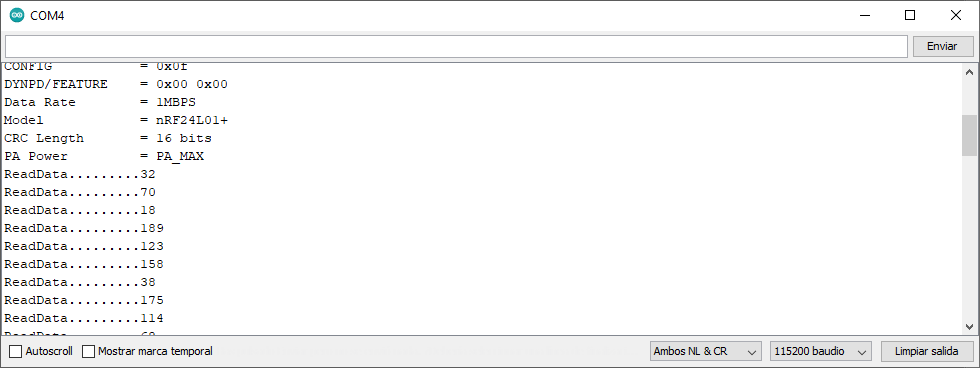
y podemos ver que uno envia y el otro recibe